

How to use an online tanpura for riyaz
Set Sa, choose the first string and adjust the sound of KalaSudha's online tanpura. Follow the screenshots and a short demonstration for riyaz on your phone or computer.

KalaSudha's online tanpura gives singers and instrumentalists a drone for riyaz, or music practice, in a web browser. Open KalaSudha Tanpura on your phone or computer, choose Sa, your reference note, and set the first string. You need no account. This walkthrough shows the controls to use before you begin, then explains how to change the pitch and sound.
How do I start an online tanpura?
Open the tool and find Start tanpura beneath the instrument display. Press it to begin the drone. The Volume control sets the overall level. Choose your settings while you listen, so each change has a sound to compare with the one before it. The main controls show Your Sa, Fine tuning and First string. Open Sound settings for the register, number of strings and controls that shape the sound.
Which tanpura scale should I choose?
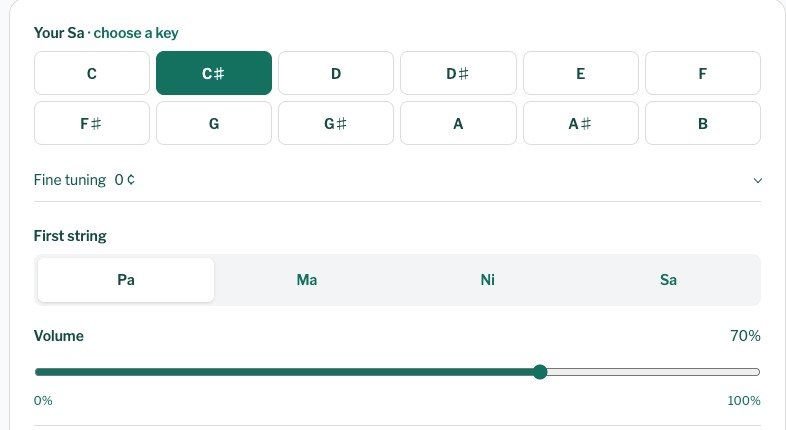
Your Sa has a visible row of 12 keys, from C to B, including the sharps. Choose the note you use for practice or the one your teacher has set. There is no single best tanpura scale. For a tanpura in C, select C; for C sharp, select C#. If you need B flat, select A#: these names refer to the same pitch. With a screen reader, each key also gives its harmonium-key and kattai information. This gives you another way to identify the Sa you need.
How do I set the first string?
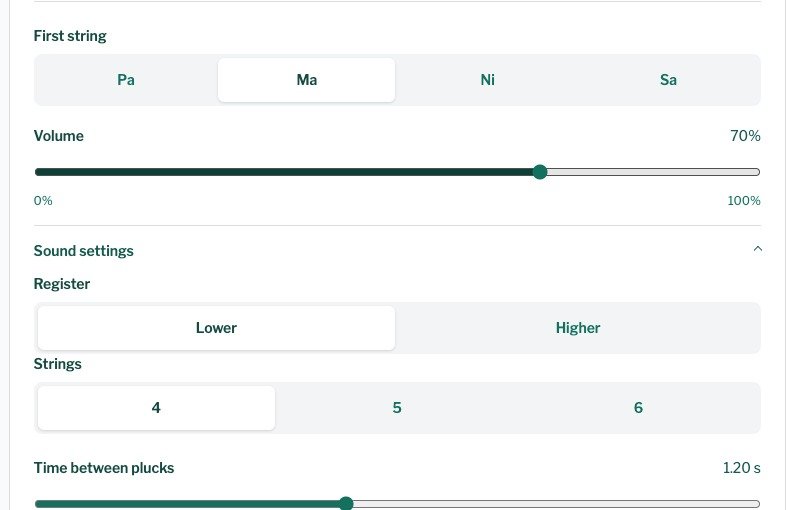
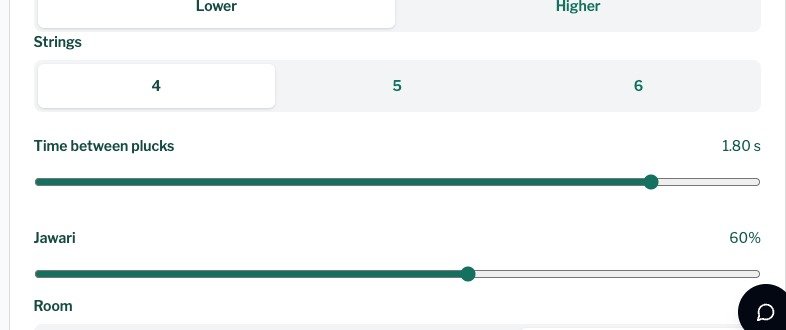
First string has four choices: Pa, Ma, Ni or Sa. Select the note required for the practice you are doing. A setting that suits one raga need not suit another, so follow the tuning you have learned rather than treating one choice as a rule for every raga. The raga pages give the notes each raga uses. In Sound settings, Strings lets you choose four, five or six strings. Fifth string and Sixth string have their own note choices.
How do I match my voice or instrument?
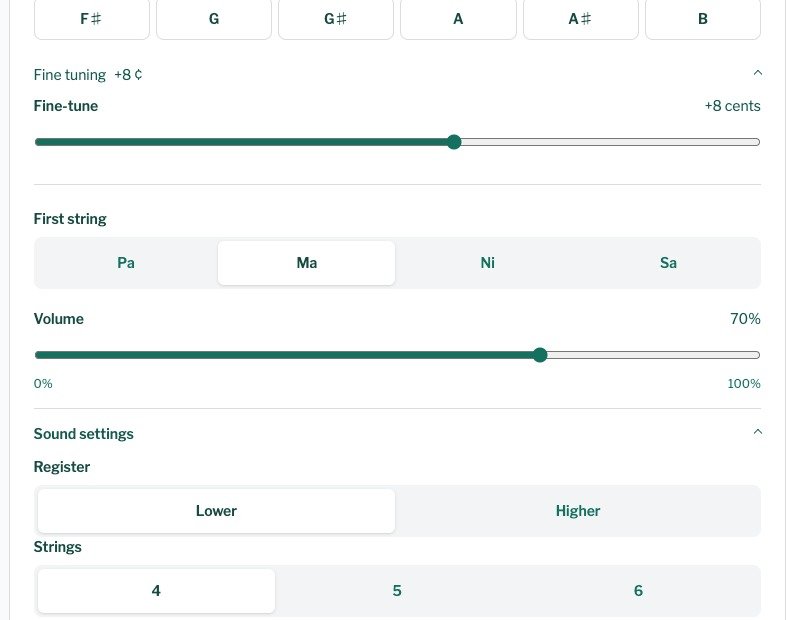
Start with the Sa key, then open Sound settings and choose Lower or Higher under Register. Return to Fine tuning for a smaller pitch adjustment. The Fine-tune slider moves Sa by up to 50 cents in either direction; its readout shows how far you have moved from the selected key. Use it when you need a pitch between the keys. Listen against your voice or instrument, make a small change and compare again before moving the slider further.
How do I change the tanpura sound?
Jawari controls the buzz in the string sound. Change it while listening to hear how much of that sound you want. Room gives you Dry, Room and Hall choices. The main Volume control changes the whole drone; String volume lets you balance each string on its own. Adjust one control at a time so you can hear what it changes.
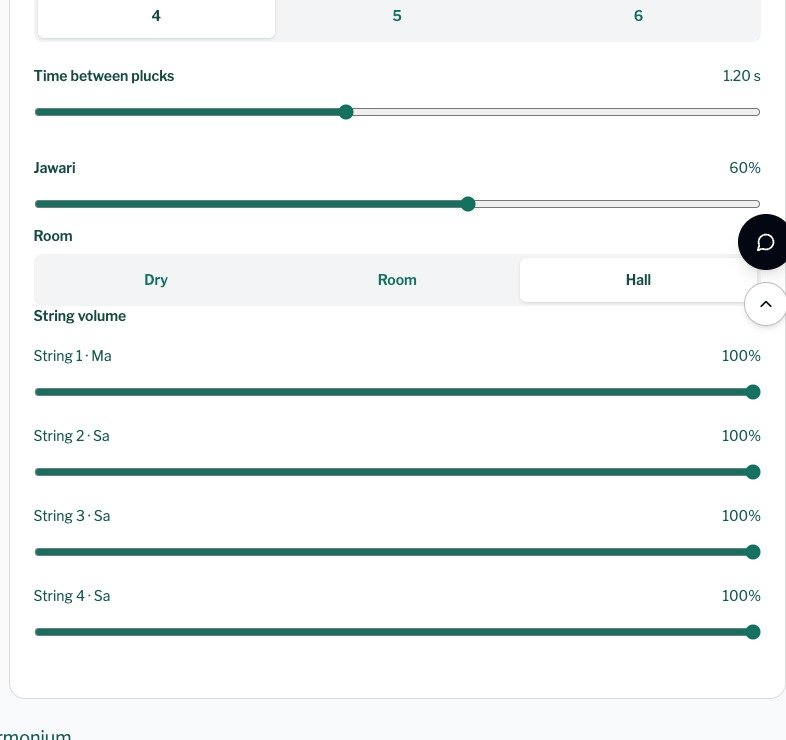
Time between plucks changes the spacing between successive string sounds. Move it while the tanpura runs and listen to the resulting cycle. The Tanpura help article explains the controls if you need a reminder.
Can I use it on a phone or computer?
Yes. KalaSudha Tanpura runs in a browser on either device, with no installation. Use a current version of Chrome, Safari, Edge or Firefox. Open the tanpura app for riyaz in your browser, then choose the Sa and first string for the music you are practising. You can adjust the settings while the drone runs, so you can hear each change during practice.
Return to KalaSudha Tanpura, set the Sa you need and listen to the drone before you begin your next phrase.

We are the internal engineering core of KalaSudha, managing our dot-com, Indian Classical Network websites, and are focused on building cutting-edge digital architecture for the Indian classical music ecosystem.
Continue Reading

Indian classical music membership from KalaSudha opens today
KalaSudha's Indian classical music membership is open today, in three tiers. The Sadhana digital tools subscription is for musicians and learners who practise. The Rasika membership is for listeners, ...

Booking Direct, Made Simple: KalaSudha Tickets Are Now Live
This month we start something steadier than a festival season: KalaSudha concerts through the year, with workshops and more to follow. That rhythm changes what we need. When you put on shows all year ...

KalaSudha Composer: The First Release Is Open for Testing
KalaSudha Composer is KalaSudha's browser notation editor for Hindustani classical music: it writes Bhatkhande-style sargam notation online in eight Indian scripts, Bengali and Gujarati among them, wi...