

Confirm your email address after signing up
Open the email we send after you sign up and follow its link. It confirms your address and lets you set your password. No email? Check spam, then press Resend email.
阅读时间 2 分钟 更新于 十一月 1, 2026
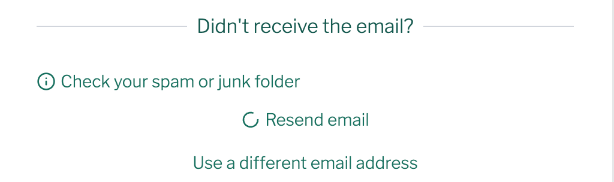
To confirm your email address after you sign up for KalaSudha, open the email we send and follow its link. The link works once: it confirms your address and opens a page where you set your password. If the email has not arrived, check your spam or junk folder, then press Resend email on the Check Your Email page.
Confirm your address
- Press Create new account. The site shows Check Your Email: "We've sent a verification link to your registered email."
- Find the email with the subject "Account details for [your name] at KalaSudha".
- Follow the link in it.
- Set your password on the page that opens.
- Sign in with your email address or username and that password.
If the email has not arrived
- Look in your spam or junk folder.
- On the Check Your Email page, press Resend email.
- If you mistyped your address, press Use a different email address.
- Enter the right address.
If our emails often go missing, read Not receiving emails from us.
Can I confirm later?
Yes. The Check Your Email page says: "You can verify your email later, but some features may be limited until verification is complete."
If the link has stopped working
The link in the email works once. If you followed it and left before setting a password, ask for a fresh link from the password reset page. Press Forgot your password? on the sign-in page, enter your email address and press Submit. The full steps are in Reset your password.
If this does not work
If you still cannot sign in, work through Why can't I sign in? For anything else, see Contact us.
Last updated: 十一月 1, 2026