

Why can't I sign in?
If you can't sign in to KalaSudha, check the email address first: your account uses the address you signed up or booked with. Then check your password, any block and guest bookings.
2 min read Updated November 1, 2026
If you can't sign in to KalaSudha, check the email address first: your account uses the address you signed up or booked with. Then work through the checks below in order. Several end with a password reset.
1. Is it the right email address?
Each account belongs to one email address. If you booked as a guest, the account uses the email you gave at checkout, which may differ from the one you use now. Search your inboxes for an email from KalaSudha to find the address, then sign in with that one.
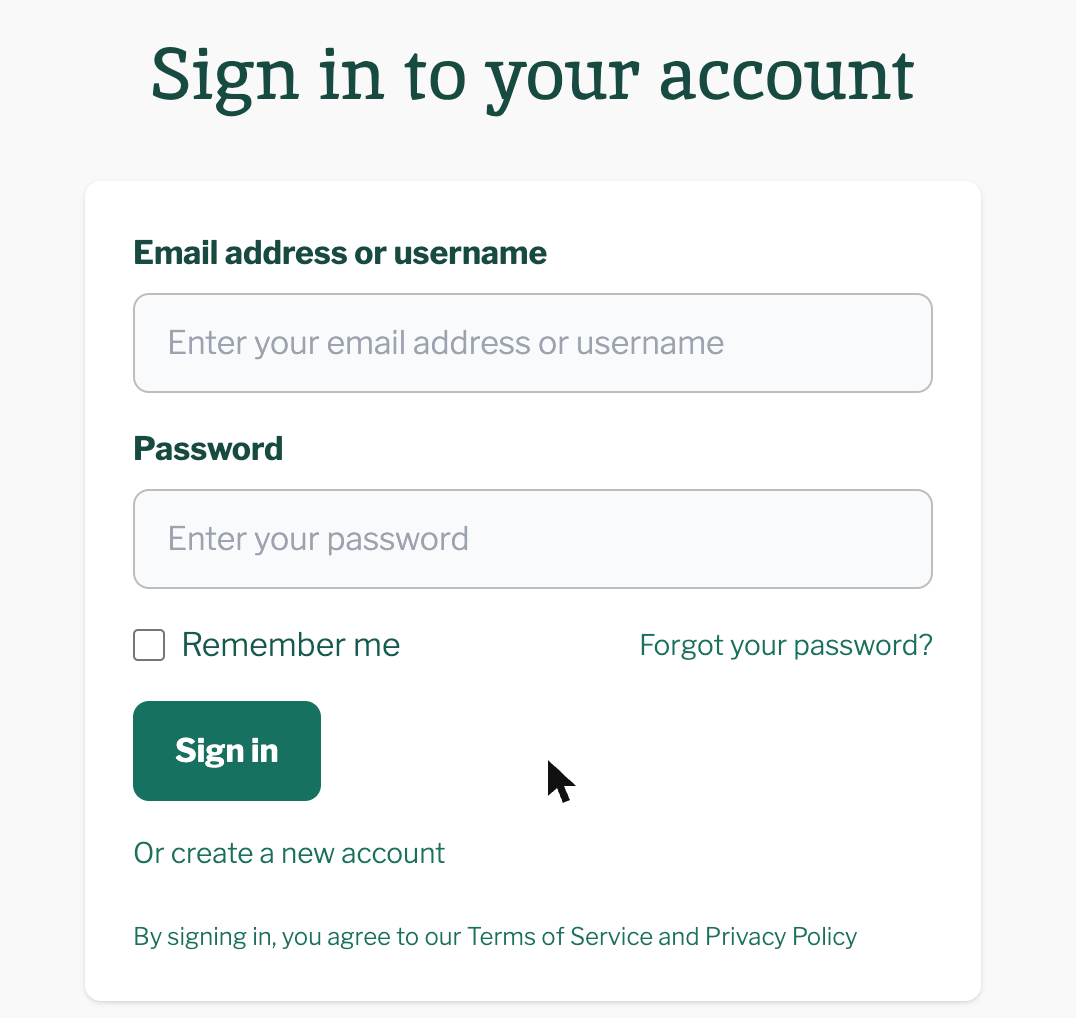
The Email address or username box on the sign-in page takes either. A phone number does not work, and there is no Google, Apple or Facebook sign-in.
2. Have you set a password yet?
The sign-up form has no password box. You set your password from the link in the email we send after you sign up. If you never followed that link, you have no password yet. Confirm your email address after signing up explains the email and how to get it again.
3. Is the password right?
Check that caps lock is off and type the password again. If it still fails, reset it:
- Press Forgot your password? on the sign-in page.
- Enter the email address your account uses.
- Press Submit.
- Follow the link in the email "Reset Your Password - KalaSudha" within 24 hours.
The full steps are in Reset your password.
4. Does the page say your account is blocked?
After five failed sign-ins on one account within 6 hours, the page shows: "There have been more than 5 failed login attempts for this account. It is temporarily blocked. Try again later or request a new password." Reset your password or wait for the block to lift. Read Too many sign-in attempts: your account is temporarily blocked.
5. Did you book as a guest and never sign in?
A guest booking sets up an account for you under the checkout email. To get in, use the sign-in link in the "Welcome to KalaSudha - Your Account Is Ready!" email, or set a password through the reset page. See I booked as a guest. How do I get into my account?
If this does not work
Email [email protected] and list every email address you have tried. We reply within one working day. See Contact us.
Last updated: November 1, 2026
Still need help?
Can't find what you're looking for? Our support team is here for you.
Contact SupportMost enquiries answered within 2-3 business days.