

Log in to your KalaSudha account
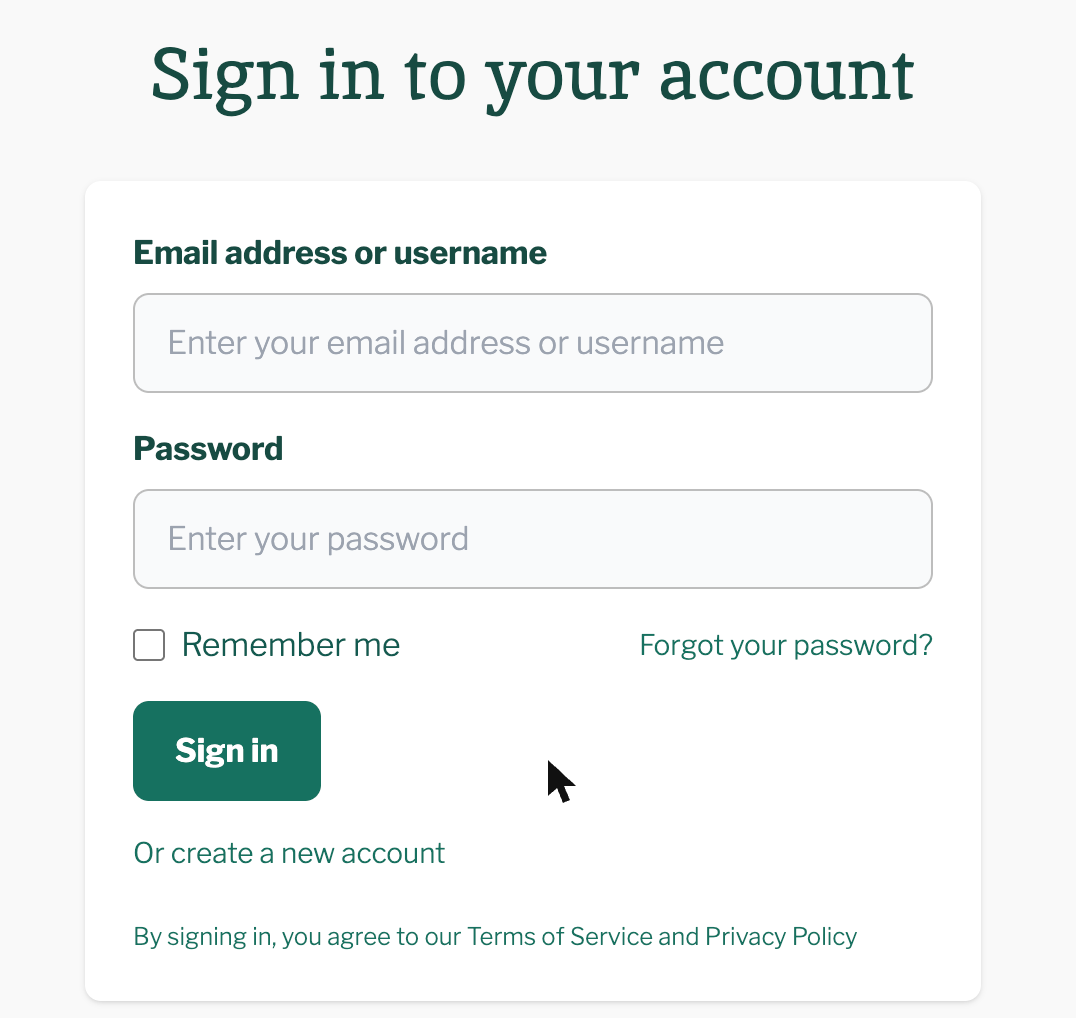
Your KalaSudha login is your email address or username, plus your password. Press Log In at the top of any page, enter both and press Sign in.
2 min read Updated November 1, 2026
Your KalaSudha login is your email address or username, plus your password. Press Log In at the top of any page, enter both and press Sign in. You then land on your Dashboard.
Sign in
- Press Log In at the top of any page. The sign-in page opens.
- Type your email address or username in Email address or username.
- Type your password in Password.
- On a device only you use, tick Remember me.
- Press Sign in.
Some pages send you back to where you started instead of the Dashboard.
Can I sign in with Google, Apple or Facebook?
No. KalaSudha has no Google, Apple or Facebook sign-in. You sign in with your email address or username and your password, and a phone number does not work in their place.
Use your account on another device
kalasudha.com works in the browser on a phone, a tablet or a computer. Sign in on each one with the same details, and your orders and tickets are there.
Find your account menu and log out
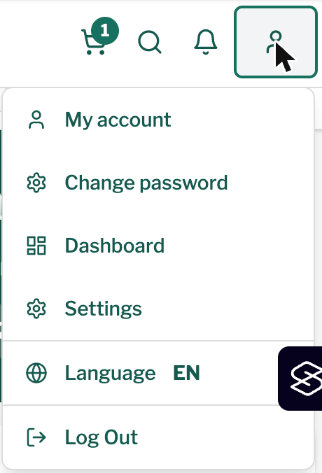
Once you are signed in, the account menu holds Dashboard, Settings and Change password. Choose Log Out from the same menu when you finish on a shared computer.
On a phone, the person icon at the top right of the page opens the menu.
If this does not work
You have forgotten your password
Press Forgot your password? on the sign-in page to open the reset page. Reset your password has the steps.
You have no account yet
Press Or create a new account under the Sign in button to open the sign-up form, or read Create a KalaSudha account.
The page keeps turning you away
Work through Why can't I sign in? For anything else, see Contact us.
Last updated: November 1, 2026
Still need help?
Can't find what you're looking for? Our support team is here for you.
Contact SupportMost enquiries answered within 2-3 business days.