

Reset your password
Press Forgot your password? on the sign-in page, enter your email address and press Submit. We email you a link to set a new password; it lasts 24 hours and works once.
2 min read Updated November 1, 2026
To reset your KalaSudha password, press Forgot your password? on the sign-in page, enter your email address and press Submit. We email you a link to set a new password. The link lasts 24 hours and works once.
Reset your password
- Press Log In at the top of any page.
- Press Forgot your password?. The reset page opens.
- Type your email address or username in Username or email address.
- Press Submit.
- Follow the link in the email "Reset Your Password - KalaSudha".
- On the Set New Password page, type your new password.
- Press Set Password.
Then sign in with your email address and the new password.
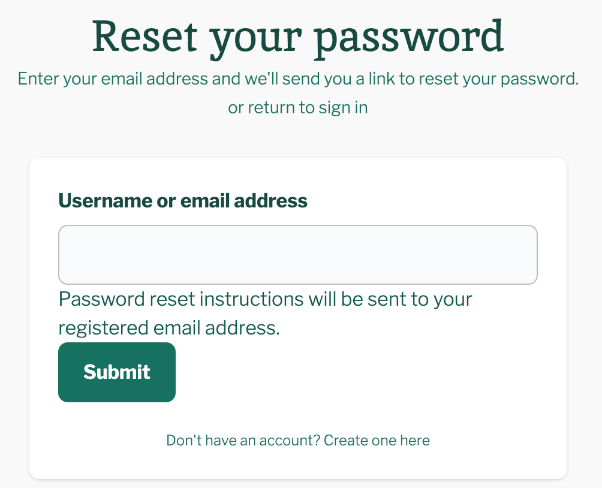
The page also shows when the link expires. Once you press Set Password, it reads: "Your password has been set. Please login with your new password."
If the link has expired or been used
A reset link lasts 24 hours and works once. An old link opens one of these messages:
- "Your password reset link has expired. Please request a new one."
- "The password reset link is invalid or has already been used. Please request a new one."
- "The password reset link is invalid. Please request a new one."
Go back to the reset page and ask for a new link.
If no email arrives
Look in your spam or junk folder first. Then check that you typed the address your account uses. If you booked as a guest, that is the email you gave at checkout. More help is in Not receiving emails from us.
If you asked too many times
Reset requests have a limit. Past it, the page shows: "Too many password recovery requests from your IP address. It is temporarily blocked. Try again later or contact the site administrator." Wait, then ask once more. The block lifts by itself. If you need help sooner, see Contact us.
If this does not work
If you still cannot get in, read Why can't I sign in? To change a password you know, see Change your password. For anything else, see Contact us.
Last updated: November 1, 2026
Still need help?
Can't find what you're looking for? Our support team is here for you.
Contact SupportMost enquiries answered within 2-3 business days.